
See what your software
actually does.
Stately is a visual state machine editor and software modeling tool. Map your code into statecharts that humans can see and coding agents can reason about.
$ npx $ npx -y @statelyai/mcpHosted setup for Claude Code, Codex, Cursor, and VS Code below
Connect once. Your agent maps the rest.
A hosted MCP server with 12 tools. Your agent reads the repo, draws the statechart, diffs it, lists its paths, and checks it against the source. You don't draw anything.
terminal
$ claude mcp add --transport http In Claude Code, run /mcp and complete Stately sign-in.
terminal
$ codex mcp add Sign in with codex mcp login stately.
.cursor/mcp.json
{"mcpServers":{"Enable the server in Cursor Settings → MCP and complete Stately sign-in.
terminal
$ code --add-mcp '{"name":"Run MCP: List Servers, start stately, and complete Stately sign-in.
any MCP client · server URL (streamable HTTP)
https://mcp.stately.ai/mcpStart the server in your client and complete Stately sign-in (OAuth).
Add the skills with npx skills add statelyai/skills.
- MCP URL
- https://mcp.stately.ai/mcp
- Docs
- MCP server · llms.txt
Validate and convert
stableFind missing targets, unreachable states, and invalid config, then translate between XState, SCXML, Mermaid, and D2.
- validate_machine
- convert_machine
Diff and patch
stableList the states and transitions that changed between two machines, and apply structured edits.
- diff_machines
- apply_machine_patches
Paths and simulation
stableEnumerate paths between states, step a machine through events, and render it as a diagram.
- generate_graph_paths
- simulate_machine
- visualize_machinebeta
Extract, review, verify
betaPull machines out of source, compare them to the implementation, and report matches or drifted with coverage.
- extract_machines_from_code
- review_machine_implementation
- verify
- generate_test_paths
- coverage_report
Agents write code faster than anyone can review it.
A diff shows which lines moved. It doesn't show that refund can no longer be reached, or that RETRY now loops back into payment.
Fig 1 — Excerpt of src/checkout.ts. 8 lines changed.
Fig 2 — The same PR as a graph. refund can no longer be reached.
How an agent's change gets reviewed.
Each state leaves something you can check: a map, a proposal, a visual diff, a code change, a verdict.
Mapped
A statechart drawn from the code, with a file and line cited for every transition.
statechart + source hash
Proposed
An edit to the graph, made in the editor or over MCP. It is never altered once saved.
immutable proposal
Approved
A reviewer reads the visual diff on the PR and signs off.
visual diff + sign‑off
Implemented
The approved edit, written into the source.
commit
Verified
The source is read again and compared with the approved graph.
matches | drifted
CI gate
The diff step fails the build when the behavior changed.
$ statelyai diff <base> <head> --fail-on-changesWhat we test
We run Claude Code and Codex through map, edit, apply, and verify. In each run, every change is cited to its source and checked by verify. MCP docs
Runs over MCP, with the CLI for scan, push, pull, and diff. The editor is optional, and so is XState in your code.
Try it live.
The editor in viewing mode, on the checkout machine. Run a simulation, step through events, open the command palette, and find the unreachable state.
Loads editor.stately.ai in a frame
Try it on your own code.
Understand the whole system.
Storefront
Next.js
Checkout
Node service
Orders
Postgres
Payments
Node service
Queue
Architecture
Map how services, actors, and machines connect. Import C4, Structurizr, D2, or Mermaid, or let the agent draw the project from source.
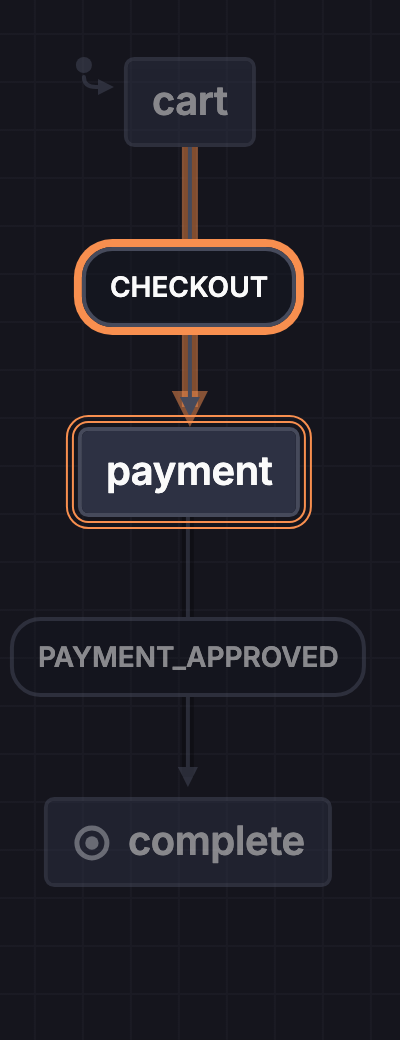
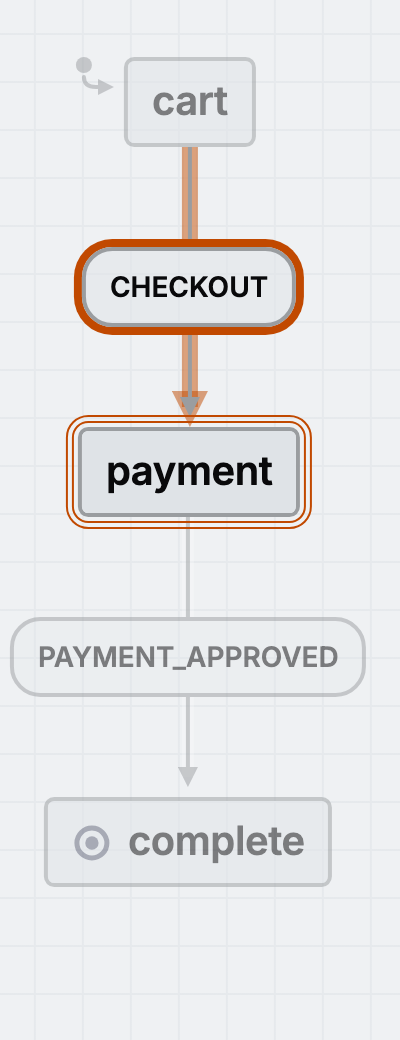
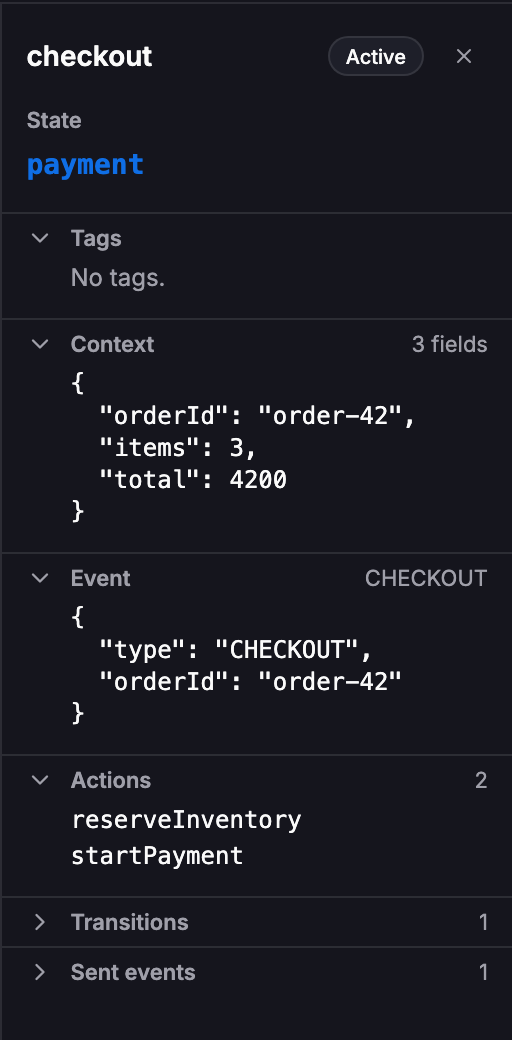
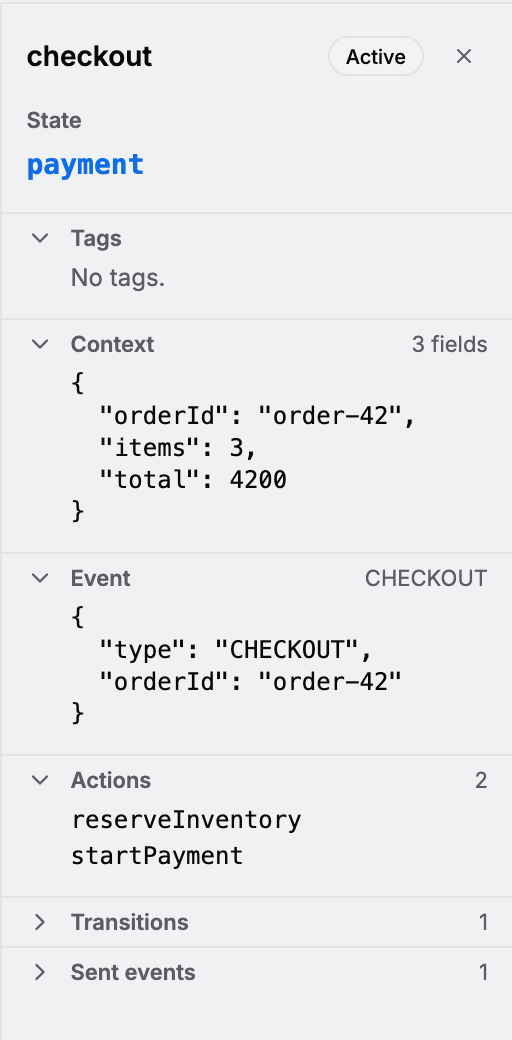
Inspection
Attach to a running app and watch states, events, and actors as they happen. Sequence diagrams show who sent what to whom.
states: {
  declined: {
    on: { RETRY: 'payment' },
  },
Edit in either direction
Change the diagram and the source changes. Change the source and the diagram follows. In the editor, in VS Code, or through your agent.
Works with any code.
Everything here reads into one graph model and writes back out of it, so any two convert to each other. Bring in a Redux reducer and get an XState machine, or turn a Step Functions workflow into Playwright tests.
The graph model converts to and from each of these:
- Libraries: XState, XState Store, Redux, Zustand
- Workflow and agent runtimes: LangGraph, Step Functions, Temporal, Inngest, Restate
- Diagram and model formats: Mermaid, SCXML, D2, C4
- Outputs: Tests, Running app, TypeScript
With Temporal, Inngest, Restate, and LangGraph, Stately reads the workflows you already run and models the behavior around them. It sits above those runtimes and does not replace them.
See it on a running app.
Built on XState.
The open-source state machine library under every Stately diagram. It runs the machine you reviewed, in the browser or on Node, MIT licensed.
- npm downloads a week
- 3.2M+
- GitHub stars
- 30K+
- repositories depend on it
- 338K+
- years in production
- 10
$ npm install xstateFor multi-step flows, async orchestration, retries and timeouts, and any behavior that must be reviewed.
Inspect a running XState app.
Attach the inspector to a running app and watch states, events, and actors as they happen.
Open the inspector docsxstate 5 · xstate/graph · @xstate/store · xstate 6 beta
XState naturally separates the logic and makes it simple to mock out API calls, so it's easier to test the code and organize it!
 Presley PizzoCoder
XState is used by engineers at
We use XState to implement business workflows as statecharts. The visualizer helps us collaborate more closely with customers, the ability to externalize workflows as JSON configuration makes complex workflow changes surprisingly simple to roll out, and test case generation makes it easier than ever to move forward with confidence. XState makes it all possible!
 James TharpeT-Mobile
Start free.
Community is the editor, simulation, and code export. Pro adds private projects, codebase sync, and test paths. Team shares all of it with up to 10 people. Enterprise runs where you need it to.
| Plan | Features | Price |
|---|---|---|
| Community |
| $0 |
| Pro |
| $39 / mo$33 / mo billed yearly |
| Team |
| $199 / mo$167 / mo billed yearly |
| Enterprise |
| Book a demo (opens in a new tab) |
Enterprise-ready.
Self-host it, sign in through your identity provider, and keep the model inside your boundary.
- Self-host the editor on your own network. No database required.
- Sign in through your identity provider: an SSO proxy or your OAuth issuer.
- Turn AI off with one flag. No traffic leaves your network.
- The same REST API and MCP endpoint on your host.
- Commercial license, with MIT-licensed SDK and CLI.
AI_ENABLED=false
# hosted comments off
# no traffic leaves your network
What an audit gets
- Versioned behavior records
- Immutable proposals with review trail
- Verify verdicts
- SCXML export
Questions.
Start with what a state machine is, then explore state machines and statecharts, state chart examples, and the actor model.
What is a state machine?
A state machine models behavior as states and transitions between them. Events can trigger transitions, changing the current state. Statecharts extend state machines with nested states and parallel regions for concurrent behavior.
Does Stately replace my workflow runtime?
No. Temporal, Inngest, Restate, and LangGraph keep running your workflows. Stately models, analyzes, and verifies the behavior they run.
Do I need XState?
No. Stately maps existing code from many libraries and formats, and can capture behavior from a running app. Use XState when you want to execute the model directly.
Does my code leave my network?
With the hosted service, the code you send is processed under the Stately privacy policy. With self-hosted Stately, and AI features and hosted comments turned off, no traffic leaves your network.
What does my agent actually do with Stately?
It calls the MCP tools to map code into a statechart with cited evidence, propose changes to that graph, and verify the implementation still matches. Each step produces an artifact a human can review and approve.
Where are the machine-readable docs?
Start with /llms.txt and /llms-full.txt. Docs pages are available as markdown by adding .mdx to the URL. The MCP server is at https://mcp.stately.ai/mcp, and npx skills add statelyai/skills installs the agent skills.
- /llms.txtSite summary for agents
- /llms-full.txtFull docs as plain text
- https://mcp.stately.ai/mcpHosted MCP server
- claude mcp add --transport http
stately https://mcp.stately.ai/mcpAdd the MCP server to Claude Code - codex mcp add
stately --url https://mcp.stately.ai/mcpAdd the MCP server to Codex - {"mcpServers":{"
stately":{"url":" https://mcp.stately.ai/mcp"}}}Cursor: .cursor/mcp.json - code --add-mcp '{"name":"
stately","type":"http","url":" https://mcp.stately.ai/mcp"}'Add the MCP server to VS Code - npx
statelyai scanFind the machines in a repo - npx skills add
statelyai/skillsAgent skills - /docs/packages/mcp.mdxMCP docs as markdown
- https://github.com/statelyai (opens in a new tab)Source
Map your first repo.
$ npx $ npx -y @statelyai/mcp